
Artificial intelligence is changing fast, but what Microsoft is working on now is on another level. Instead of AI that waits for you to ask questions, Microsoft is building an AI that can work on its own, all day, all night.
This new idea is simple but powerful. Imagine a system that can read your emails, plan your tasks, remind you of important things, and even complete work for you without you asking every time.
This is what people are calling an “always-on AI agent.”
In this post, you will understand what Microsoft is building, how it works, why it matters for businesses, and what it means for you.
What Microsoft Is Building
Microsoft is working on a new type of AI inside its Microsoft 365 Copilot. This AI is not just a chatbot. It is an agent.
A chatbot waits for instructions. An agent takes action. The goal is to create an AI that can:
- Work in the background
- Handle tasks on its own
- Continue tasks over time without stopping
- Help you stay organized and productive
Instead of opening your laptop and telling AI what to do, the AI already knows what to do and starts working. For example:
- It can check your email and highlight important messages
- It can suggest what you should work on today
- It can help schedule meetings
- It can prepare reports or summaries
This is a big shift from how AI works today.
What Inspired This New AI
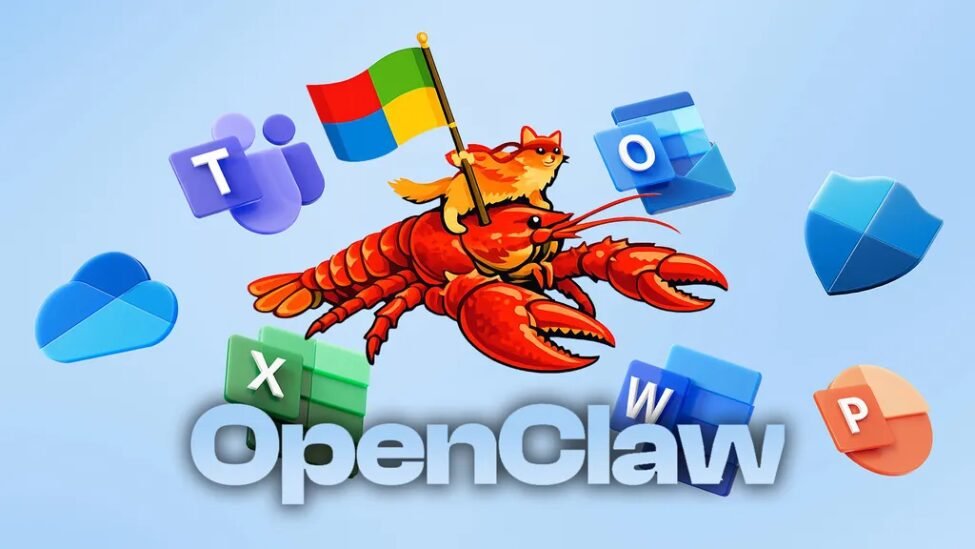
Microsoft did not just wake up and build this idea. It was inspired by a trending tool called OpenClaw.
OpenClaw is an open source tool that allows users to create AI agents that run on their own computers. These agents can perform tasks without constant human input.
People like OpenClaw because:
- It works locally on your device
- It can run continuously
- It can handle complex tasks
But there is a problem. OpenClaw has raised serious security concerns. Since it runs locally and can take actions, it can also cause damage if not properly controlled.
This is where Microsoft comes in. It wants to build something similar, but safer and more suitable for businesses.
Cloud AI vs Local AI
One important part of this story is where the AI runs. Right now, most of Microsoft’s AI tools run in the cloud. This means:
- Your data is processed on Microsoft servers
- You need internet to use it
- It is easier to control and secure
OpenClaw, on the other hand, runs locally on your computer. Microsoft is still deciding whether its new AI will:
- Run locally like OpenClaw
- Stay in the cloud
- Or combine both
Each option has its advantages. Local AI is:
- Faster
- More private
- Works without internet
Cloud AI is:
- More powerful
- Easier to manage
- Better security control
Role-Based AI for Businesses
Another smart idea Microsoft is exploring is role-based AI agents, which adds more control. Instead of one AI doing everything, you can have different AI agents for different roles. This makes the system more organized and secure.
For example, you can have a marketing agent, a sales agent, and an accounting agent working together. Each agent only has access to what it needs to perform its tasks. This is very important for security.
It means the marketing AI cannot access your financial data, and the accounting AI cannot access private messages. This setup reduces risk and makes businesses feel safer using AI. It also helps companies manage data properly.
Also Read: How To Register Trademarks And Protect IP In Nigeria
What This Means for Nigerian Businesses
For Nigerian entrepreneurs and SMEs, this is a big opportunity that should not be ignored. Many businesses struggle with limited staff, poor organization, and missed opportunities. An always-on AI can help solve these problems.
For example, a small business owner can use AI to manage customers better and respond faster. A freelancer can use AI to stay organized and meet deadlines consistently. A startup can use AI to scale faster without hiring too many people.
Even if the full system is not yet available, this is the direction technology is going. Businesses that prepare early will benefit the most. Those who ignore it may struggle later.
Challenges and Concerns
While this sounds exciting, there are also concerns that must be considered carefully. If AI has access to emails, files, and systems, it must be secure. A small mistake can cause big problems.
If AI starts acting on its own, users may feel they are losing control over their systems. People will need ways to monitor and manage what the AI is doing. This will be important for trust.
Some tasks currently done by humans may be replaced by AI, which raises job concerns. This does not mean jobs will disappear completely, but roles will change. People will need to learn new skills to stay relevant.
Many people do not fully trust AI yet, and this could slow adoption. For this technology to succeed, users must feel safe using it. Trust will play a big role in its success.
Microsoft’s Bigger Plan
This move is not random, it is part of a bigger strategy that Microsoft is following. Microsoft wants to move from simple AI assistants to full AI agents. This is a major shift in direction.
It has already introduced tools like Copilot Tasks and Copilot Cowork, which show early progress. These tools can already perform some actions for users. The new development is about taking things further.
The goal is to create AI that thinks ahead, acts independently, and works continuously. This will change how people interact with technology. It will make work easier and faster.
The Competition
Microsoft is not alone in this race, as other companies are also working on similar ideas. However, Microsoft has an advantage because of its existing tools. It already has a strong user base.
It already has Microsoft 365, Outlook, Teams, Excel, and Word used by millions. These tools are deeply integrated into business workflows. This gives Microsoft a strong position.
By adding AI agents into these tools, Microsoft can quickly reach many users. This makes adoption faster and easier. It also increases its chances of success.
What You Should Do Now
You do not need to wait for this AI to fully launch before taking action. There are simple steps you can take now to prepare. These steps will help you stay ahead.
If you are not using AI yet, start now by learning tools like ChatGPT and Microsoft Copilot. This will give you a head start. It will also make adaptation easier later.
Look for tasks you do daily and find ways to automate them using available tools. This will save time and improve efficiency. Small changes can make a big difference.
The future of work will depend on digital skills, so focus on learning and improving. Learn how to use AI, not fear it. Technology is moving fast, so stay informed and keep learning. This will help you adapt to changes and also keep you competitive.
